This page is about the process, not the tool
If you are choosing a product, read AI investment research assistant features instead. This page assumes you have already decided to keep your research in a workspace and shows how to structure the work. The tool choice matters, but the process is what makes the tool useful.
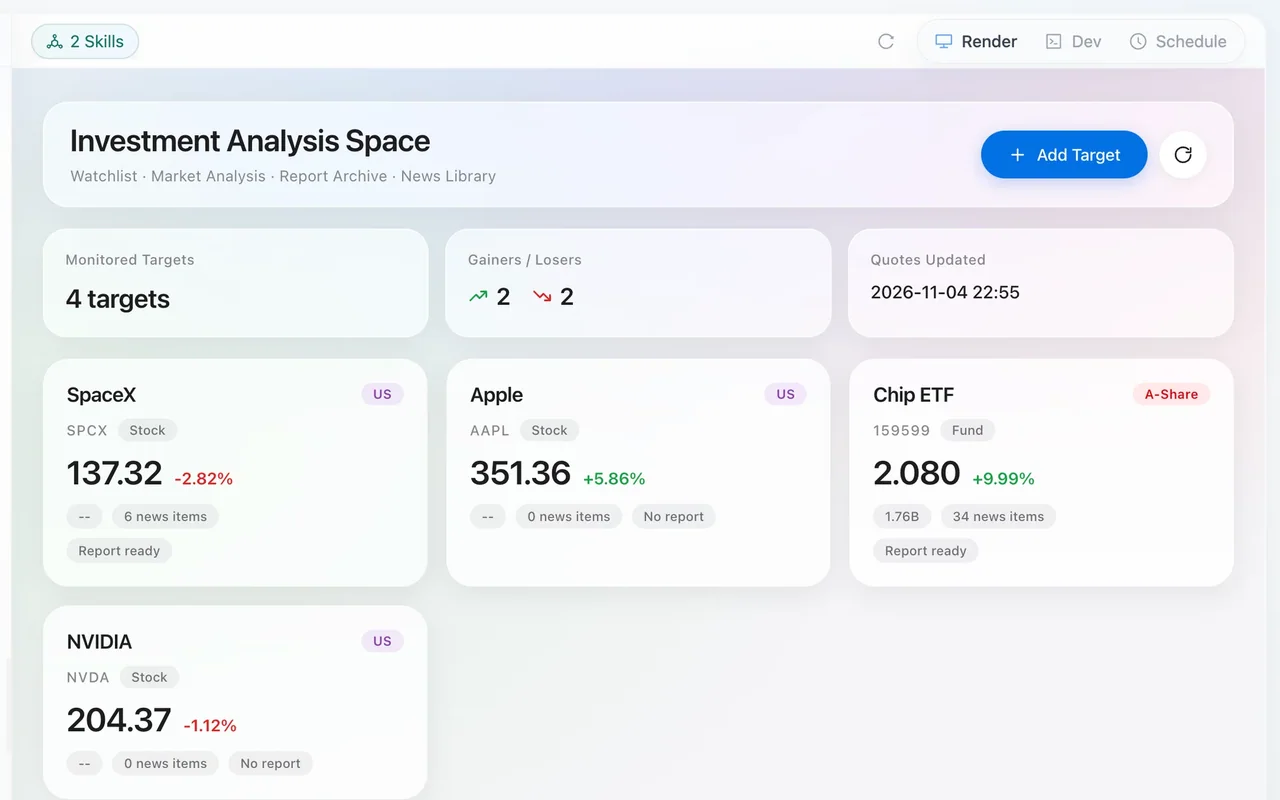
Step 1: name the memo before the first question
Write the memo or report you have to deliver, even if it is only a heading list. Which sections need a source, which need a date, and which are your own view? That list becomes the data model for the workspace. A question without an output tends to produce a transcript, not research.
Use the earnings call notes to investment memo path if the output is an earnings memo. The structure is the same: result, guidance, management language, risk, and your conclusion.
Step 2: keep page-level sources, not document-level links
For every claim you might reuse, keep the file, the page, and a one-line note. A link to a 200-page PDF is not provenance; it is a place to start looking again. Page-level extraction is what lets the next question point at the exact evidence.
If the source is a PDF library, read turning PDFs into a searchable knowledge base before importing it. Scanned pages need OCR, and tables often lose their structure.
Step 3: refresh one claim and read the record
Create a scheduled task only after you have run the same prompt once. Write the prompt so it says what to check and which part of the workspace to update. Then read the run history: did the new data land in the existing structure, or did it create a second version?
One successful refresh is not a promise about later runs. A page can change, a login can expire, or a source can move. The run history is the part that tells you whether the memo still reflects the evidence.
Step 4: date the memo and review every claim
A memo without a date is a note pretending to be a decision document. Put the date at the top, mark each claim as checked or unverified, and keep the source next to the claim. When you hand the memo to someone else, you should be handing them the state, not a summary of it.
Research structure matrix
| Stage | What to keep | Check before moving on |
|---|---|---|
| Define the output | Memo sections, audience, and date | Does the structure match the decision? |
| Collect sources | File, page, and a one-line note | Can you reopen the exact page? |
| Organise notes | Fixed fields and open questions | Is a blank kept as a blank? |
| Refresh | Prompt, run time, and what changed | Did the result land in the same structure? |
| Hand off | Dated memo and source links | Can someone else check the claims? |

Two limits to plan around
It does not pick investments
The workspace organises evidence and drafts a memo. It does not tell you what to buy or sell, and it does not promise a return. The decision and the accountability stay with the analyst.
It is only as good as the sources
If the notes are thin or the sources are stale, the memo will be thin too. Check extraction, check the date, and keep a blank where the source did not answer. A neat structure around weak evidence is still weak evidence.
Common questions
Will it recommend stocks or funds?
No. This guide uses the workspace to store and organise your own research material. It does not make the investment decision or promise a return.
Can I track many subjects at once?
Yes, in one workspace or split by theme across workspaces. Split them when the render view stops being readable, not because the tool has a limit you need to work around.
Where does the data come from?
From material you put in the workspace and from pages you open in the built-in browser. If a published template names its data source, treat the template page as the source of record.
Can it write the investment memo?
It can turn your organised notes into a first draft. You still check every claim against the sources, rewrite the conclusion, and keep the judgment calls.