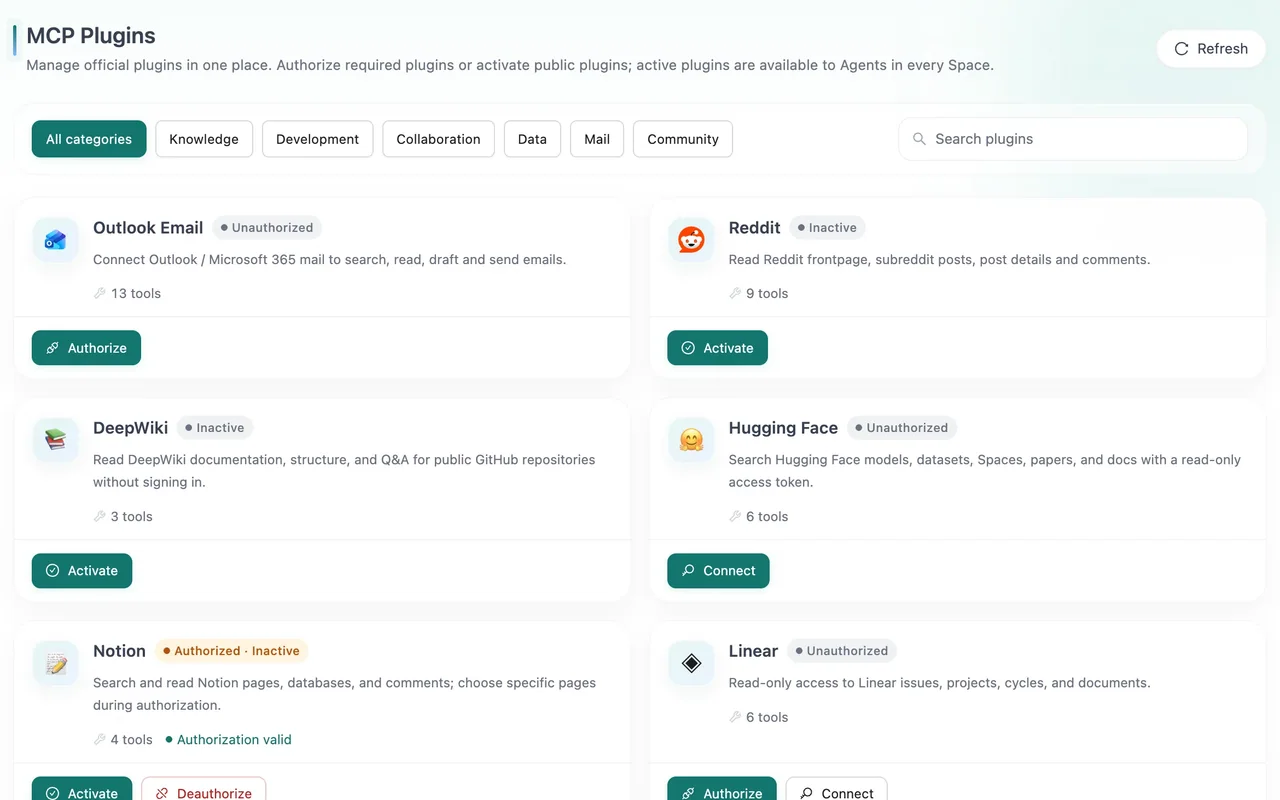
The catalog also lists official connectors outside the seven data services. Outlook Email includes write actions and is not counted in the 37 read-only tools.
Three facts to cite
| Fact | Value | Why it matters |
|---|---|---|
| Version | Mesocosm Desktop 0.1.5; MCP spec revision 2026-07-28; verified 2026-10-29 | Tells you which build and protocol revision this catalog describes |
| Permission | 7 remote read-only services; 37 tools; 0 write tools | The catalog registers reads only, even when a vendor offers writes |
| Limit | 45s per call; 90s for Supabase; 240s for DeepWiki; 1 MiB response cap | Sets expectations for slow calls, timeouts, and large results |
All seven at a glance
| Service | What it reads | Auth | Tools | Key limit |
|---|---|---|---|---|
| DeepWiki | Public repository documentation, structure, Q&A | None | 3 | 240s first wiki build; 10 repositories per question |
| Hugging Face | Models, datasets, Spaces, papers, docs | Read-only token hf_ | 6 | 100 models, datasets, or Spaces; 50 papers |
| Notion | Selected pages, databases, data sources, comments | OAuth DCR + page selection | 4 | Search page_size 50; data source query 100 |
| Linear | Issues, projects, cycles, documents | OAuth DCR read or lin_api_ | 6 | List limit 100, default 25 |
| GitHub | Repository files, issues, pull requests | Fine-grained PAT | 7 | 100 items per page; no Actions tools |
| Slack | Public and private channel messages, threads | Read-only user token | 5 | Search 100; channel or thread 200; no DMs |
| Supabase | Table schemas, read-only SQL, logs, advisors, docs | OAuth DCR or sbp_ | 6 | 20-character project_ref; 90s timeout |
Activation is per user. Once a service is active, Agents in every Space can use it, and credentials stay on your machine. The service names link to the detailed entries below.
DeepWiki
DeepWiki reads documentation generated for public GitHub repositories: structure, page content, and answers to questions about the codebase. Use it to get oriented before you clone a repository or open its files.
- Tools (3):
read_wiki_structure,read_wiki_contents,ask_wiki_question. - Auth: none; no token or OAuth consent.
- Limits: the first wiki generation can take up to 240 seconds; one question can cover at most 10 repositories.
- Status: listed in 0.1.5; activate it without credentials.
- Best for: comparing public projects, preparing a code review, and answering first-pass questions without reading every file.
Hugging Face
Hugging Face reads models, datasets, Spaces, papers, and documentation. It is the place to check what a model card claims, how a dataset was built, and which papers a release references.
- Tools (6):
model_search,dataset_search,space_search,paper_search,hub_repo_details,hf_doc_search. - Auth: read-only access token starting
hf_. - Limits: up to 100 models, datasets, or Spaces per query; up to 50 papers.
- Status: listed in 0.1.5; needs the token before activation.
- Best for: model landscape scans, dataset provenance checks, and paper discovery.
Notion
Notion reads the pages, databases, data sources, and comments you select during consent. It fits work that already lives in Notion: research notes, specs, meeting records, and structured databases.
- Tools (4):
notion-search,notion-fetch,notion-query-data-sources,notion-get-comments. - Auth: OAuth with dynamic client registration (DCR), plus page selection.
- Limits: search
page_sizeup to 50; data source queries up to 100; read-only. - Status: listed in 0.1.5; active after OAuth consent and page selection.
- Best for: turning selected pages into a research board, or pulling decisions out of a database.
Setup details: Notion MCP server.
Linear
Linear reads issues, projects, cycles, and documents. It is useful when the question is about delivery state: what is planned, what slipped, and which issue holds the decision.
- Tools (6):
list_issues,get_issue,list_projects,get_project,list_cycles,list_documents. - Auth: OAuth DCR with the
readscope, or a read-only API key startinglin_api_. - Limits: list
limitup to 100, default 25; read-only endpoints only. - Status: listed in 0.1.5; active after OAuth or an API key.
- Best for: roadmap summaries, cycle reviews, and linking an issue to a research question.
Setup details: Linear MCP server.
GitHub
GitHub reads repository files, issues, and pull requests. It is the verification layer: when a claim depends on code, a PR discussion, or an issue thread, read the source here.
- Tools (7):
get_me,search_repositories,get_file_contents,list_issues,issue_read,list_pull_requests,pull_request_read. - Auth: fine-grained personal access token, not OAuth.
- Limits: up to 100 items per page; calls use a read-only header and read-only toolsets; there are no Actions tools.
- Status: listed in 0.1.5; active after a fine-grained PAT.
- Best for: code verification, pull request context, and issue archaeology.
Setup details: GitHub MCP server.
Slack
Slack reads public and private channel messages, channel lists, and threads. It is the place for decisions that were made in conversation and never written into a document.
- Tools (5):
search_public,search_public_and_private,search_channels,read_channel,read_thread. - Auth: read-only user token, not OAuth by default.
- Limits: search returns up to 100 messages; a channel or thread up to 200; no DM tools; workspace admins can restrict access.
- Status: listed in 0.1.5; active after a token, unless admin policy blocks it.
- Best for: finding the discussion behind a decision, or checking whether a plan was announced.
Setup details: Slack MCP server.
Supabase
Supabase reads table schemas, runs read-only SQL, and inspects logs, advisors, and documentation. It fits questions about your own data: counts, joins, trends, and schema drift.
- Tools (6):
list_tables,list_migrations,execute_sql,query_logs,get_advisors,search_docs. - Auth: OAuth DCR or a personal access token starting
sbp_. - Limits: you must supply a 20-character
project_ref; the connection is fixed toread_only=true; calls time out at 90 seconds. - Status: listed in 0.1.5; active after OAuth or a PAT plus the project reference.
- Best for: read-only analysis over your own tables, schema checks, and query performance review.
Why only seven
The catalog is curated, not an open marketplace. Mesocosm does not accept an arbitrary MCP server URL, so you cannot add a self-hosted endpoint or a server from another registry. The seven were chosen because each holds a common source of work data and exposes a stable read-only surface.
Write tools are not registered, even when a vendor offers them. Outlook Email and Reddit are also official connectors, but they sit outside this list; Outlook Email includes mail write actions, so "all MCP is read-only" is wrong. Activating more than five read-only services triggers a non-blocking notice, not a hard limit.
How to choose
Choose by where the data lives, not by tool count. Repository docs point to DeepWiki; models and papers to Hugging Face; code and PRs to GitHub; team documents to Notion; delivery work to Linear; conversations to Slack; your own database to Supabase.
Activation is per user and becomes visible to Agents in every Space; credentials stay on your machine. Keep queries narrow, because a response over 1 MiB is rejected. If you activate many services, expect the non-blocking notice described above. The servers supply data; storing and comparing it happens in the Space with the Agent, not in another server.
Two limits
The tool set will change
Tool names and counts are stated for Mesocosm Desktop 0.1.5 on 2026-10-29. Vendors rename endpoints and add capabilities, and the read-only whitelist can change with a release. Recheck the service card before you build a workflow around a specific tool name.
There is no arbitrary server URL
Seven is the whole catalog in this build. If your data lives in a service outside the list, MCP in Mesocosm 0.1.5 cannot reach it. Plan around the seven, or use the system that owns the data for that step.
Quarterly review: what gets re-checked
The catalog is a dated snapshot, not a permanent fact. Every quarter, check five things before you rely on this page:
- Services. Are all seven still present, and did any official connector move into the read-only list?
- Tool counts. Does each card still show 3, 6, 4, 6, 7, 5, and 6 tools?
- Authentication. Did a vendor change OAuth, scope, or token requirements?
- Limits. Are the 45s / 90s / 240s budgets and the 1 MiB response cap still current?
- Deprecations. Did a vendor rename or retire an endpoint that a workflow depends on?
The dates at the top of this page come from code constants, and npm run check:mcp-freshness fails when the next review date passes. A screenshot can go stale faster than the text, so recapture the catalog when the service list changes.
Common questions
Are there only seven supported MCP servers?
Yes. Mesocosm Desktop 0.1.5 lists seven remote read-only data services with 37 tools. Outlook Email and Reddit are separate official connectors and are not counted here. The catalog can grow in a later release, but this page describes only what 0.1.5 ships.
Can I add my own MCP server?
No. The catalog is curated and the app does not accept an arbitrary server URL, so you cannot paste in a self-hosted or third-party endpoint. If a service you need is missing, it is not reachable through MCP in 0.1.5.
Why are all seven read-only?
Write tools are not registered or forwarded, even when a vendor exposes them. Read-only access keeps the credential's blast radius small and makes results safe to store. Write actions stay with the system that owns them; Outlook Email is a separate connector and does include mail write actions.
How do I read the activation status?
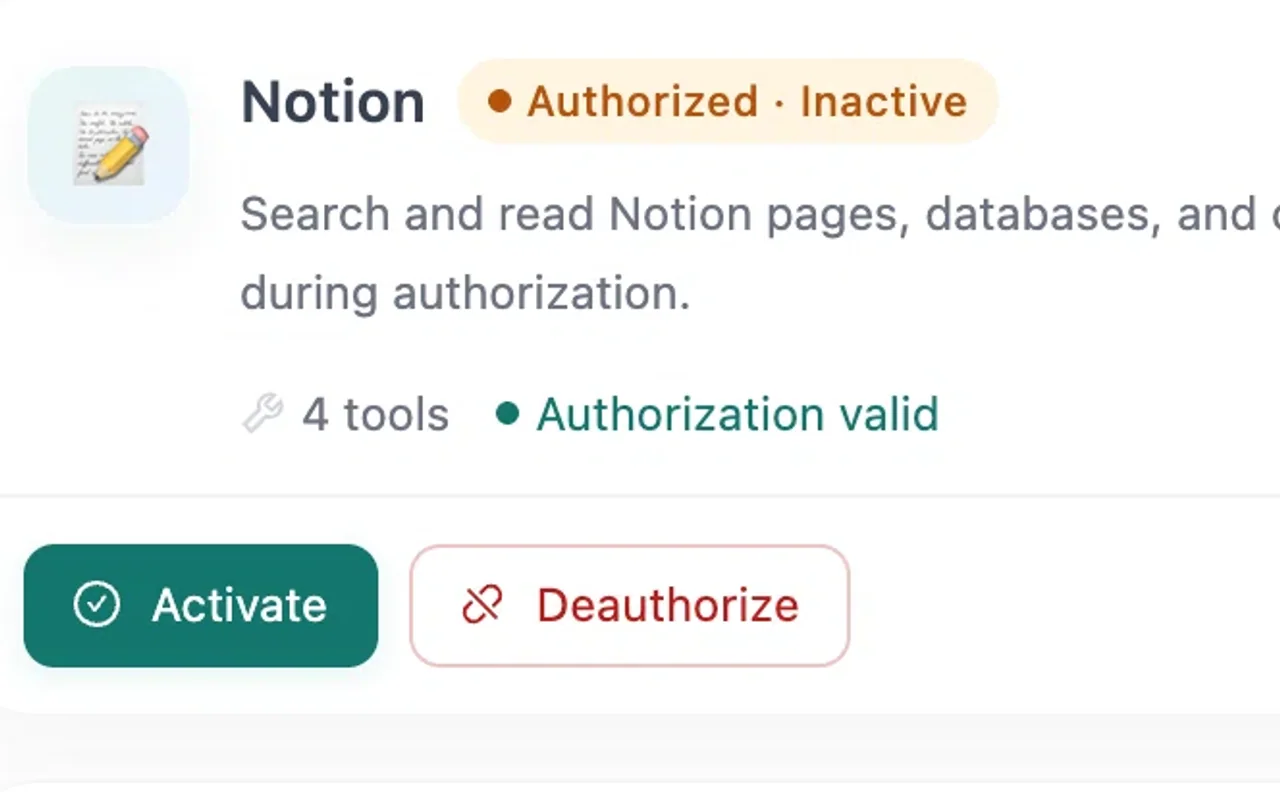
Open MCP Plugins and check the service card. It shows whether authorization or the token is valid, the read-only label, and the number of tools. If a call fails, check the card first, then the connection and the query size.
Sources
- MCP specification 2026-07-28: key changes
- DeepWiki MCP
- Hugging Face MCP
- Notion MCP: get started
- Linear MCP server
- GitHub MCP Server
- Slack MCP server
- Supabase MCP